Real-time playback speed plugin
Chronoform
Automate playback speed.
Hear pitch and duration change together.
If the player does not load, watch this demo on YouTube
Hear the result as you record.
Hear Foley, props and voice at a lower playback speed while recording. Adjust how you strike, scrape or handle an object, or change your vocal performance in response to what you hear.
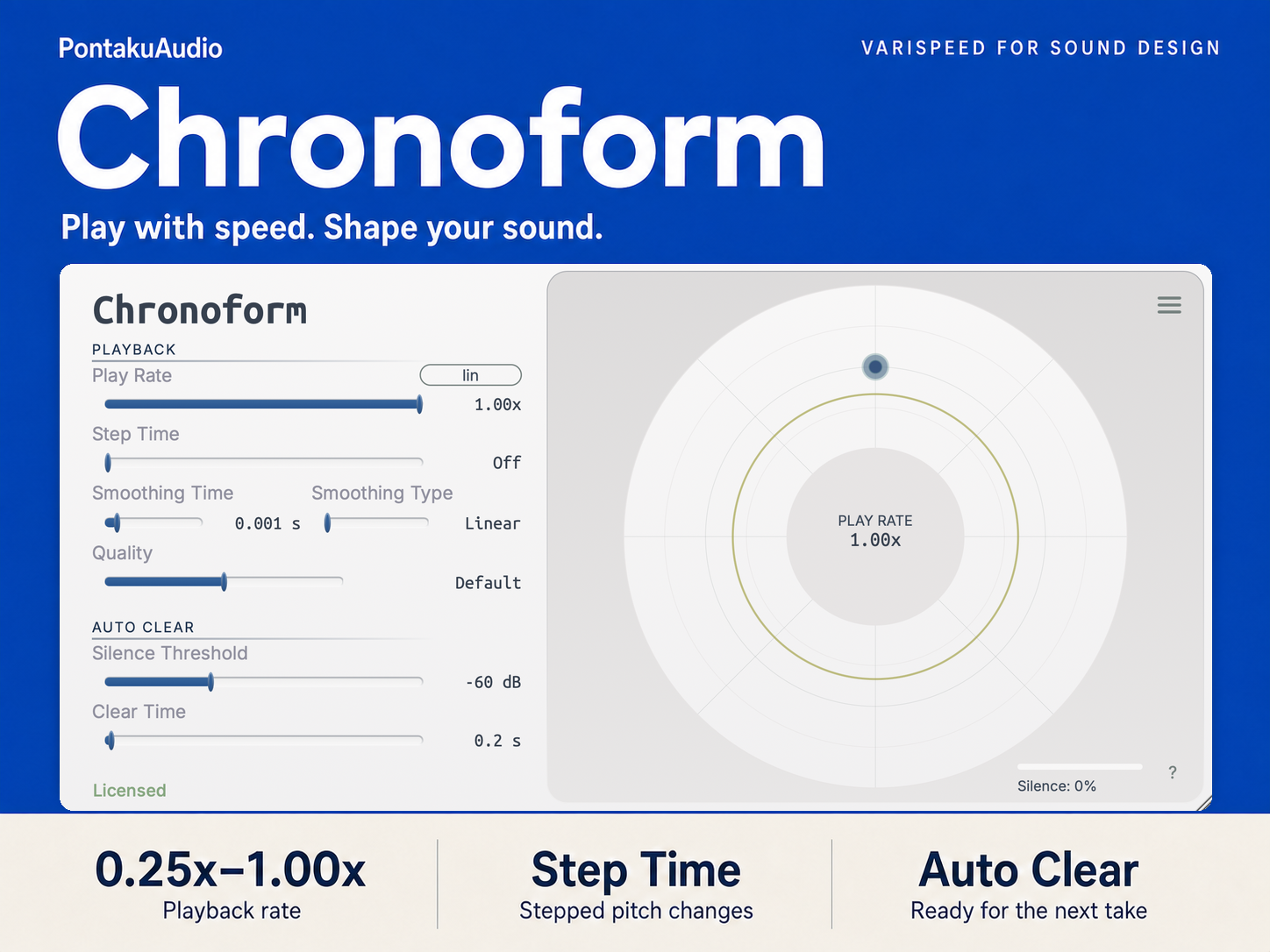
Set playback anywhere from 1× to 0.25×. Pitch drops as the sound stretches, with both controlled by the same rate.
Automate playback speed.
Automate Play Rate in your DAW to shape how a sound slows down. Use smoothing for gradual changes, or Step Time for changes at fixed intervals.
Adjust the interpolation character for clean playback or rougher digital textures.
If the player does not load, watch this demo on YouTube
Ready for the next take.
Auto Buffer Clear detects a pause in the input and resets the playback buffer when the next sound arrives. Adjust the silence threshold and clear time to suit the source.
Try it in your setup.
- Windows
- Windows 8.1, 10 or 11 · 64-bit
- macOS
- macOS 10.14 or later · Intel and Apple Silicon
- Formats
- VST3, CLAP, AU (macOS), AAX (macOS)
- Trial
- All features, with a brief output mute every 45 seconds.
Check the store for current requirements, downloads and pricing.
Does Chronoform preserve the original pitch?
No. Changing playback speed changes pitch and duration together, like slowing down a tape machine.
Can I try it before buying?
Yes. The trial includes all features and briefly mutes the output every 45 seconds. Get the trial on Payhip to check it in your DAW.
Where can I get help?
Contact Pontaku Audio with any questions about Chronoform.